
How to solve “Authorization Failed for Above Host” Error on IPTV Smarters Pro?
Many IPTV customers get an error saying “Authorization failed for above host” when trying to log in on IPTV Smarters Pro app. This issue prevents customers from accessing their favorite channels, movies, or live shows – which can be quite frustrating. If you’re also facing this issue while using Strong 8K IPTV on IPTV Smarters Pro, this guide will help you understand the reason and give a permanent solution.
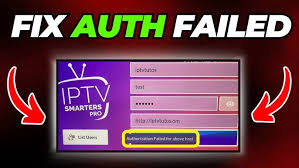
Why Do You Get the “Authorization Failed for Above Host” Error?
If you are an IPTV Smarters Pro app user, you must have noticed that it doesn’t always support all IPTV servers URLs indefinitely. The app’s developers ask IPTV server owners to register their domain with the Smarters platform. This registration authenticates the server’s URL and allows the app to communicate properly with it.
When any domain URL isn’t registered with Smarters Platform, IPTV Smarters Pro blocks that access, resulting in the “Authorization failed for above host” error message. This means the Smarters app is rejecting authorization to the connection request from that specific IPTV domain.
How Strong 8K IPTV Solves This Problem
Strong 8K IPTV is a premium server, which makes sure customers don’t face any issue on any app. To ensure customers enjoy smooth, uninterrupted streaming without getting authorization errors the necessary steps are taken by the owner to register authorized domain with IPTV Smarters Pro.
If you experience this issue, it usually means you are:
1. Using an old or unregistered URL of Strong 8K IPTV.
2. Entering incorrect login credentials (username, password, or portal URL).
3. Using a blocked or expired subscription.
To solve it, contact the Strong 8K IPTV Support Team and request them to provide you the official Smarters Pro authorized domain URL. Once you update your app with the correct link, your account will be authenticated successfully and your service will start working again.
How to Use the Authorized URL
To log in using the correct settings:
1. Open IPTV Smarters Pro.
2. Select “Login with Xtream Codes API.”
3. Enter your:
Username
Password
Authorized Strong 8K IPTV URL
4. Click “Add User” and wait for the app to load your playlist.
Within seconds, your content will appear — no more authorization issues.
Still Facing Issues?
If you’ve entered the authorized server domain but are still facing any issue, contact Strong 8K IPTV Support. Team 8K will verify the account and URL, reset your connection, and guide you through any technical steps to get your service running again.
At Strong 8K IPTV, we value uninterrupted smooth entertainment and work continuously to ensure a stable, registered, and secure connection for all our customers.
For more information, Visit Strong 8K IPTV Contact us page.


